
How to Choose a CRM for Your Dental Clinic: A Complete Guide
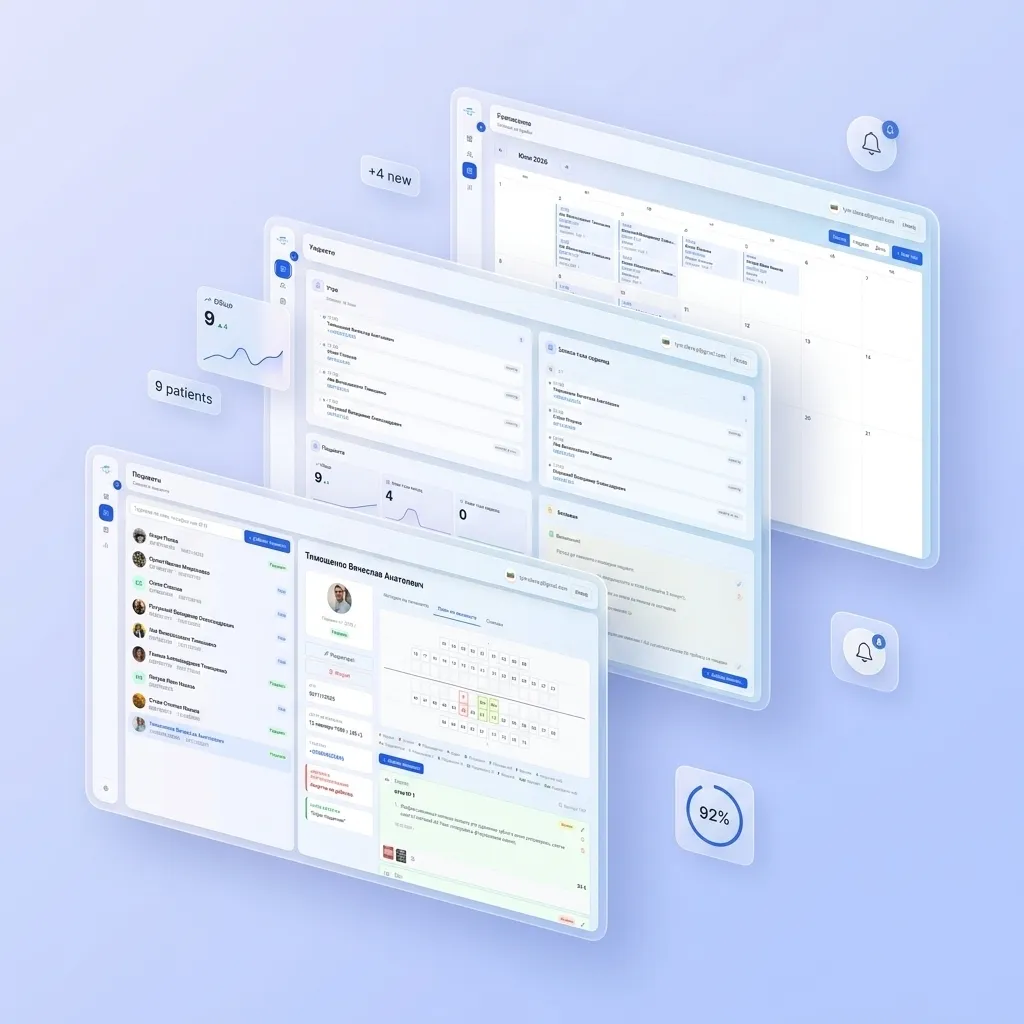
A dental clinic is more than doctors and chairs. It’s patient scheduling, treatment history, reminders, billing, a database driving repeat visits, and dozens of small processes that either run like clockwork or collapse into a mess of paper charts and calls asking “when’s my appointment again?”
A CRM system solves this problem. Services like Dentari bring scheduling, patient records, and clinic finances together in one place. But the market for these solutions is large, and picking the right system isn’t simple. In this article, we’ll walk through what actually matters when choosing one.
Why a Dental Clinic Needs a CRM at All
If your clinic is still running on a spreadsheet and a paper appointment book, these problems will sound familiar:
- patients forget appointments because no one reminded them;
- the front desk gets confused juggling several doctors’ schedules;
- there’s no history — a new receptionist has no idea what was discussed with a patient last time;
- it’s hard to tell how much the clinic earned this month or which services are most popular;
- the patient database isn’t driving repeat visits — no one reminds patients about a check-up every six months.
A CRM closes these gaps by bringing scheduling, patient records, finances, and communication into a single system.
Key Criteria for Choosing a CRM
1. Electronic Patient Chart
This is the foundation. A good CRM should store:
- complete treatment and diagnosis history;
- a visual tooth chart;
- attached photos, X-rays, and documents;
- a treatment plan with stages and costs.
If the system doesn’t make charting easy, everything else matters less. You can see what this looks like in practice on Dentari’s features page.
2. Scheduling and Appointment Booking
Look for:
- a visual schedule across multiple doctors and rooms at once;
- protection against double-booking;
- online booking via the website or messaging apps;
- flexible appointment lengths for different types of procedures.
3. Appointment Reminders
Many clinics manage perfectly well early on with front-desk phone calls. But as the patient base grows, automated reminders — via SMS, WhatsApp, or email — become a real advantage: they cut no-shows and free up staff from routine calls.
If your CRM doesn’t have this yet, it’s not a dealbreaker early on, but it’s worth keeping in mind as a natural next step — especially once the patient base grows large enough that manual calling stops scaling.
4. Financial Tracking
At minimum, you need a clear view of revenue by clinic and by doctor: how much was earned, for which services, over which period.
More advanced CRMs also calculate payroll (fixed rate, percentage, or mixed schemes) and cost of services including supplies. This is convenient but not essential from day one — many clinics handle payroll separately in their accounting, especially while the team is small, and add this automation later as things scale up.
5. Ease of Use for Front-Desk Staff
Even the most feature-rich CRM is useless if booking one patient takes five minutes. During a demo, ask the vendor to:
- book a new patient from scratch;
- reschedule an appointment;
- find a patient’s history by phone number.
If any of these take more than a couple of clicks, that’s a future headache for your staff.
6. Cloud vs. On-Premise
Cloud-based (SaaS) CRMs require no server purchase, update automatically, and are accessible from anywhere — useful if the clinic has multiple locations. On-premise solutions give you more control over data but require IT support and backups managed in-house.
For most small and mid-sized clinics, cloud solutions win on cost and convenience.
7. Security and Storage of Medical Data
A dental chart is medical data. Ask:
- where the data is physically stored;
- how backups are handled;
- whether access is role-based (front-desk staff shouldn’t see everything a doctor sees).
8. Integrations
Useful integrations include:
- telephony (call logging, a pop-up patient card on incoming calls);
- messaging apps and social media for booking;
- accounting software;
- online payment services.
If these integrations aren’t available yet, that’s fine — the core functions (patient chart, scheduling, financial tracking) cover most of a clinic’s day-to-day work. Integrations usually become relevant later, once patient volume grows and you want to eliminate manual steps like copying contacts from social media or reconciling payments by hand.
9. Pricing and Payment Model
Compare not just the subscription price, but the total cost of ownership:
- is there a per-seat fee for each additional receptionist or doctor;
- is there a separate charge for SMS reminders;
- are there hidden fees for integrations or data export;
- how difficult and costly would switching to another system be if something doesn’t work out.
You can check Dentari’s current rates on the pricing page.
10. Support and Staff Training
Even an intuitive system needs onboarding. Find out:
- whether onboarding support is provided when you sign up;
- how quickly support responds;
- whether training materials are available in a language your staff understands.
Common Mistakes When Choosing a CRM
- Choosing on price alone, not features. The cheapest option may lack the modules you need, and the clinic ends up paying twice — for the CRM and for separate tools to fill the gaps.
- Ignoring front-desk staff’s input. They’re the ones using the system every day — involve them in testing before you commit.
- Skipping the trial period. Any CRM worth its salt offers a trial. If it doesn’t, that’s a red flag.
- Underestimating data migration. Moving your patient database from an old system or spreadsheet is its own project — discuss it with the vendor upfront.
Pre-Purchase Checklist
- Does it offer a full electronic patient chart with a visual tooth chart?
- Is the basic revenue view — by clinic and by doctor — clear?
- How many clicks does it take to book a patient?
- Where is the data stored, and how are backups handled?
- Is the total cost of ownership clear, including hidden fees?
- Is there a trial period, and help migrating your data?
- What features can be added later — reminders, payroll, integrations — and how easy is that as the clinic grows?
Bottom Line
The right CRM saves front-desk staff hours of work, reduces no-shows, and gives clinic owners a real picture of their finances instead of end-of-month guesswork. Don’t rush the decision: test the system on real scenarios, involve your staff, and always calculate total cost of ownership — not just the subscription price.
Want to see how this works in practice? Sign up on the Dentari website and try it for free, or check the FAQ page for answers to common questions. For more on dental clinic automation, visit our blog.